Case Study 1: NgaGI MENU
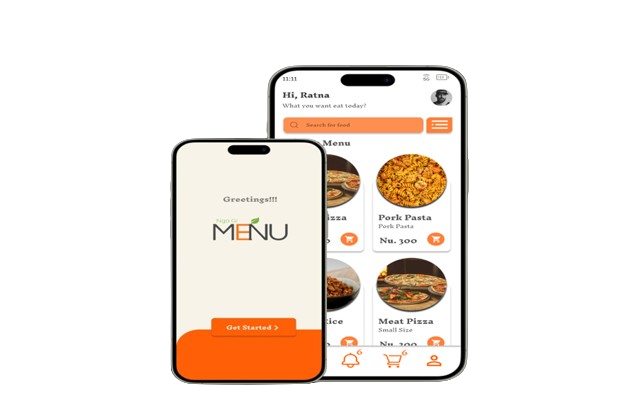
App Screen 1

Project overview

The Brief

Project NgaGi MENU is designed to enhance the dining experience at GCIT college's restaurant by leveraging technology to minimize wait times and improve service efficiency. The primary goal is to develop a user-friendly mobile application that allows students to view the menu and place orders before arriving at the restaurant. This not only streamlines the ordering process but also reduces crowding during peak dining hours.

The Problem

Lack of food ordering system in GCIT.

The Goal

Design a food ordering system

Project Duration

Maerch-June 2024

My Role

UX research and design a solution for food ordering system.

Responsibilites

Conduct interviews, create wireframes and prototypes, and perform usability studies.

User Research: Pain Points

Time

Students are busy and don’t want to waste time by waiting for food.

Accessibility

Details in the menus are often not given properly, which makes it difficult for users to read and order.

Support

Students can’t write their feedbacks on the individual menu.

User Persona

Problem statement:

Ratna is a final year student who needs an efficient, user-friendly, and reliable food ordering service because he is often busy with studies and has limited time to wait in long queues.

Choden Wangmo
Ratna

Age: 22

Education: B.Sc in Computer Science

Hometown: Chukha, Bhutan

Family: Single

Occupation: Student

"I am a student and I need quick access to meals without disrupting my study schedule."

Goals

  • Order food quickly without waiting in long queues.
  • Ensure meals are delivered on time and are fresh.
  • Have a variety of meal options available.
  • Access the service 24/7 for convenience.

Frustrations

  • "Sometimes, the service is slow, and I end up missing my meal times."
  • "Limited meal options during peak hours."
  • "The app occasionally crashes, which disrupts my ordering process."
  • "Lack of clear communication about the status of my order."

Ratna is a final year student at Gyelpozhing College of Information Technology. His academic schedule is demanding, leaving him with little time to cook or wait in lines for meals. He relies heavily on the college’s cafeteria services but often faces challenges due to inefficiencies in the current system. He needs a reliable, efficient food ordering application that offers a variety of meal options and ensures timely delivery, enabling him to focus on his studies without worrying about meals.

User Journey Map

Mapping Ratna's user journey revealed how helpful and efficient it would be for college student to have access to a dedicated food ordering app.

Stage Action Emotion
Awareness
  1. Discovers the need for a convenient food ordering service.
  1. Frustrated with current meal options and waiting times.
Consideration
  1. Researches food ordering apps.
  2. Reads reviews and compares features.
  1. Hopeful to find a solution that fits his needs.
Purchase
  1. Downloads the app and creates an account.
  2. Places his first order.
  1. Relieved to have a solution to his mealtime challenges.
Experience
  1. Receives timely and fresh meals.
  2. Enjoys a variety of meal options.
  1. Satisfied with the service and convenience.
  2. Relaxed while studying

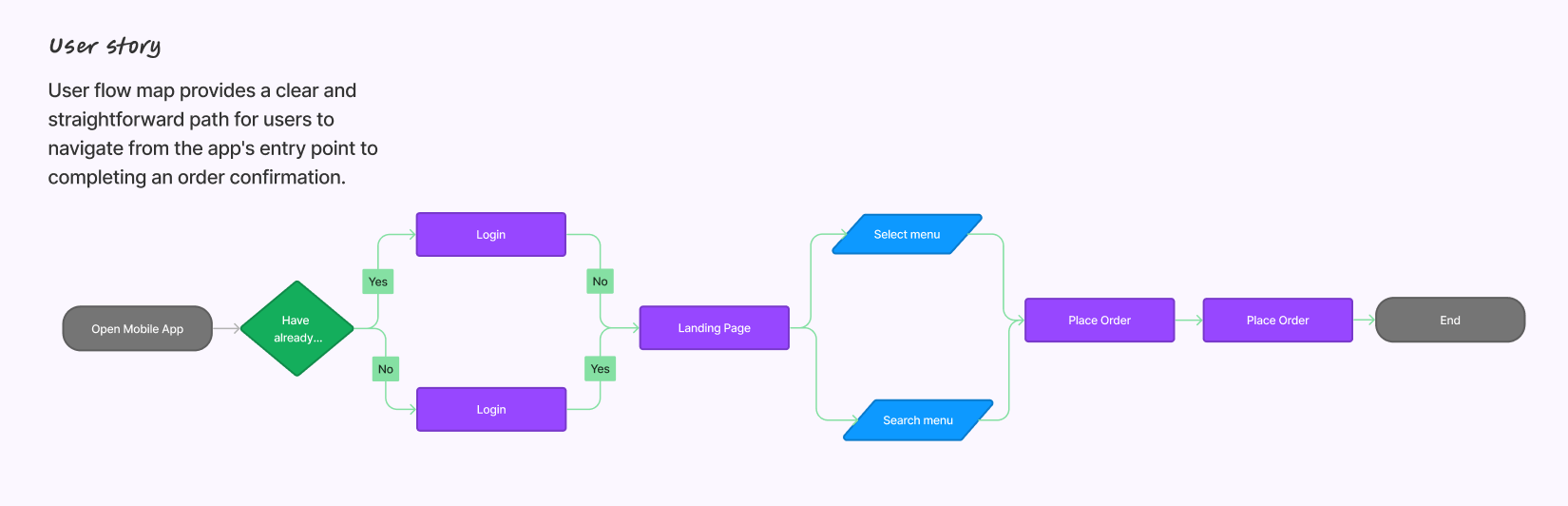
User Flow

Starting the Design

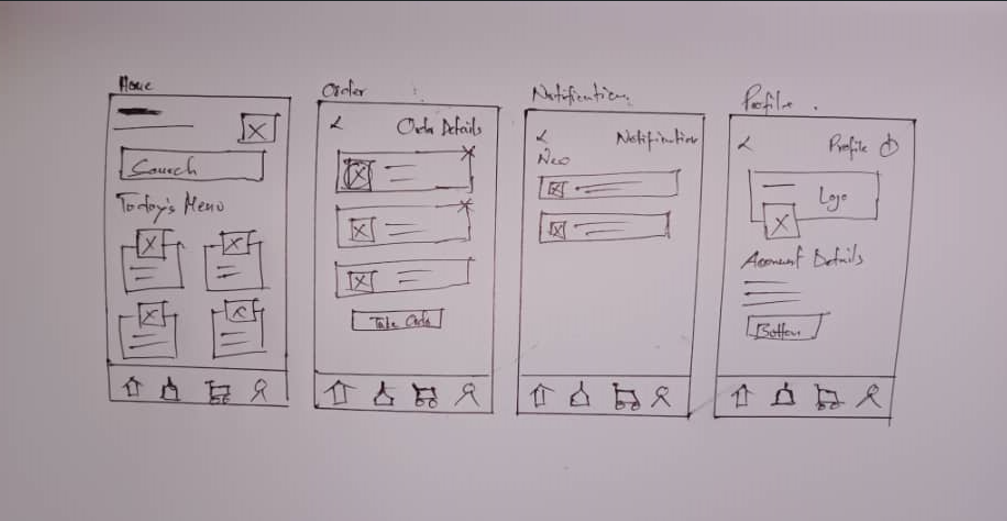
Paper Wireframes

Paper wireframes were created to visualize the app's layout and structure. Each element was carefully placed to ensure a user-friendly experience.

Paper Wireframes
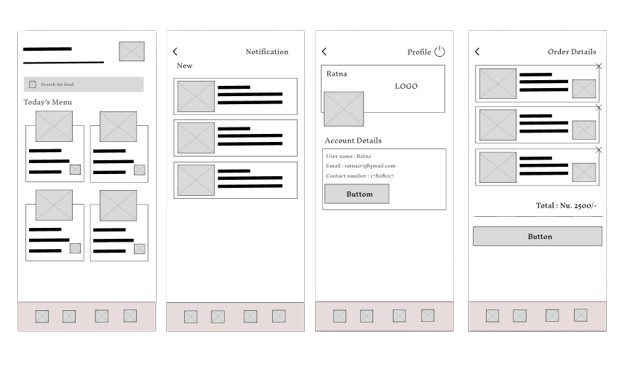
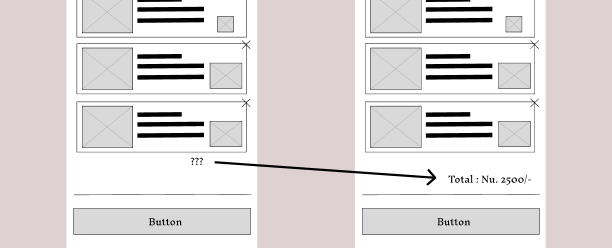
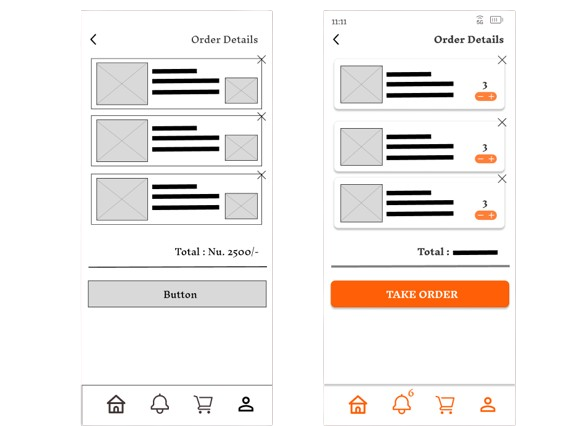
Digital Wireframes

Digital Wireframes

Based on the paper wireframes, digital versions were created to further refine the design and layout. These wireframes formed the foundation for the app's prototype.

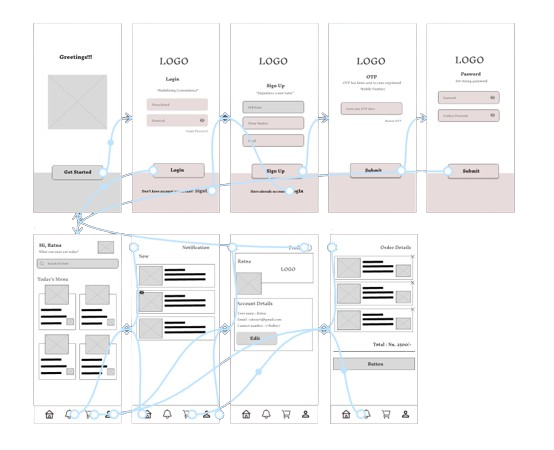
Low-Fidelity Prototype

The low-fidelity prototype was developed to test the app's functionality and user flow. Feedback from initial testing was used to make necessary adjustments.

Low-Fidelity Prototype
Usability Study Findings

Usability Study Findings

Insights from the usability study revealed areas for improvement in the app's design. Key findings included the need for clearer navigation and better order tracking features.

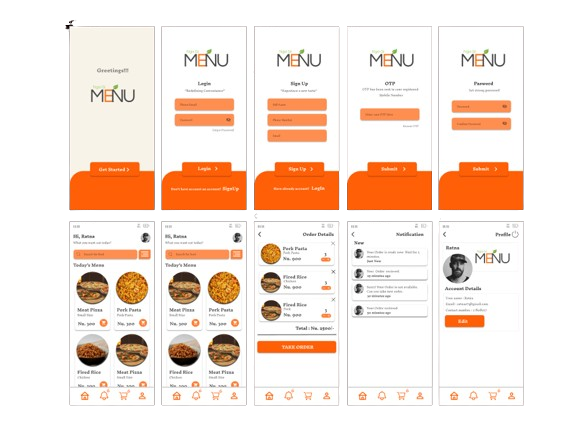
Mockups

High-fidelity mockups were created to visualize the final design. These mockups incorporated feedback from the usability studies and showcased the app's polished look and feel.

Mockups
High-Fidelity Prototype

High-Fidelity Prototype

The high-fidelity prototype was developed to test the app's final design. This prototype closely resembled the finished product and was used for final usability testing.

Takeaways: Case Study

Impact

Post-launch, the app significantly reduced wait times and improved overall dining experiences for students. Positive feedback highlighted the app's ease of use and efficiency.

What I Learned

Throughout the project, I learned the importance of user-centered design and iterative testing. Understanding user needs and incorporating their feedback was crucial in creating a successful product.

Next Steps

Future updates will focus on expanding the menu options and integrating additional features such as meal customization and loyalty rewards. Continuous user feedback will guide further improvements.

Click here for Case Study 2: